I love simplicity and silence. On this blog I share bits and pieces from my daily life. In late 2025 I moved to Ruakākā near Whangārei in Aotearoa. 100% human (she / her). Since July 2024 I've been doing resistance training to help me maintain my independence as I age. Now 71, I'm super happy to be getting old — it means I'm not dead yet! I believe all beings have the right to clean water, nutritious food and adequate shelter, and that humans are simply one small part of the amazing life on this planet that supports us all: humans, animals, plants. I joined the MB community on 05 January 2018. Follow me on Micro.Blog at https://micro.blog/miraz .
I really enjoyed on Netflix the documentary A Grand Night In: The Story of Aardman. I’ve long been a fan of Wallace and Gromit and think Chicken Run is supremely hilarious and rich and enjoyable. In fact I plan to watch Chicken Run again soon.
I try to keep this blog positive but need to vent a bit today about logins.
In the good old days you’d use a username and password to log into a website. We’ve all been educated now to use good passwords too and some of us use a password manager, like 1Password, for extra security and convenience.
These days we have foolishness like sites that make you enter a username on one page and then a password on the next. Annoying!
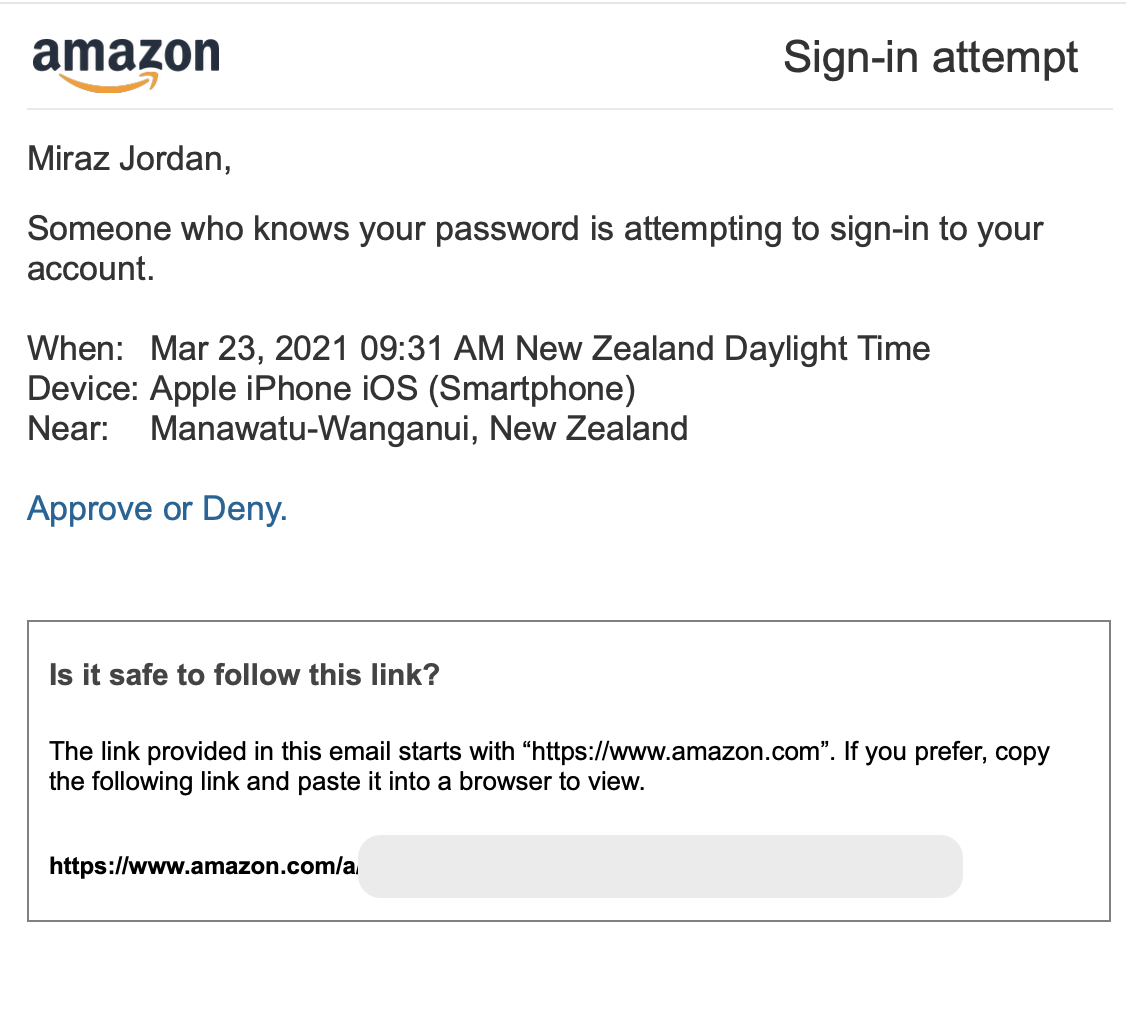
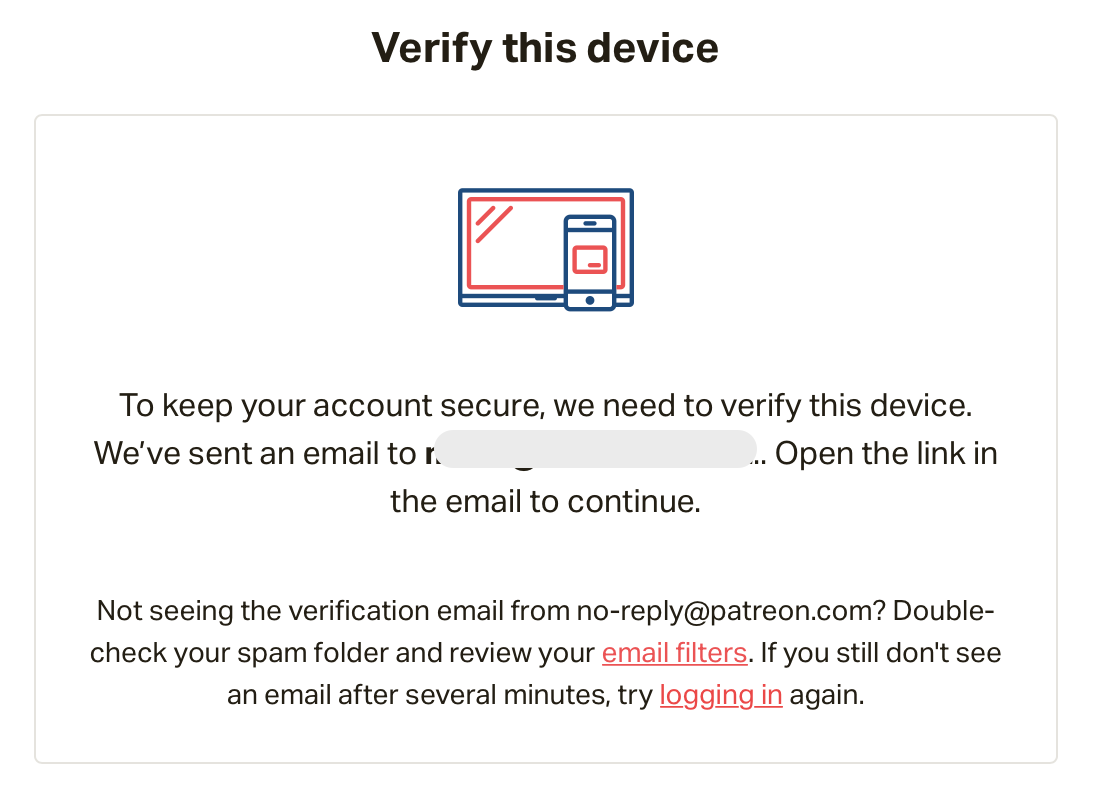
My current gripe is the ones that make you verify yourself via an email, even after providing a username and password.
I’ve given you my username and my password and sometimes even told you how many traffic lights are in a stupid picture: take me to the good stuff now!
I’m really getting pretty fed up with it. On trying to view a video from a creator I support on Patreon, I even considered getting out of Patreon thanks to this ridiculous roadblock. Why should I verify just to watch a video. But getting out would hurt the creator.
And while I’m ranting: I love Micro.Blog but it doesn’t even let me use a password. If I need to log in again on the web I have to wait for an email with a special link that I can’t then use next time, weeks or months later! It’s ridiculous and very annoying.
I suppose all this stuff is to deal with bots or something, but heck! even my bank just needs a username and password. I can’t believe I have to jump through hoops to watch a video on Patreon.
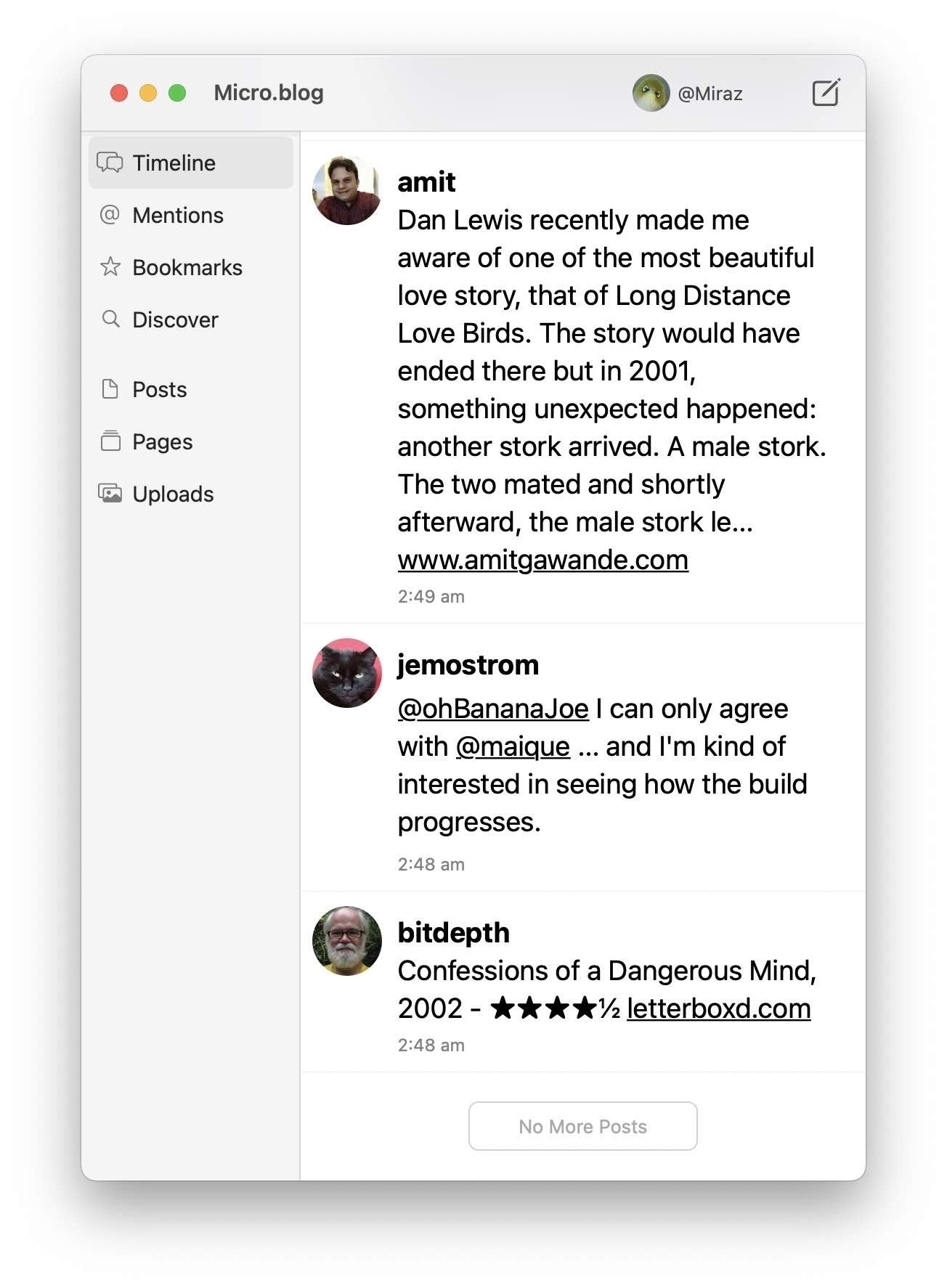
hey @help has something changed with the Micro.Blog Mac app? This ‘No more posts’ button wasn’t actually telling the truth when I encountered it a couple of hours ago. I was trying to catch up on the timeline since last night. I clicked anyway and got more posts.
Today was the fifth line dancing class I’ve attended and I’m starting to get the hang of it. I wasn’t exhausted from the mental effort at the end of the beginner’s hour and was quite enjoying it. Then we started to learn a dance in waltz time. I think I must have 8 feet! 🦑💃🏼
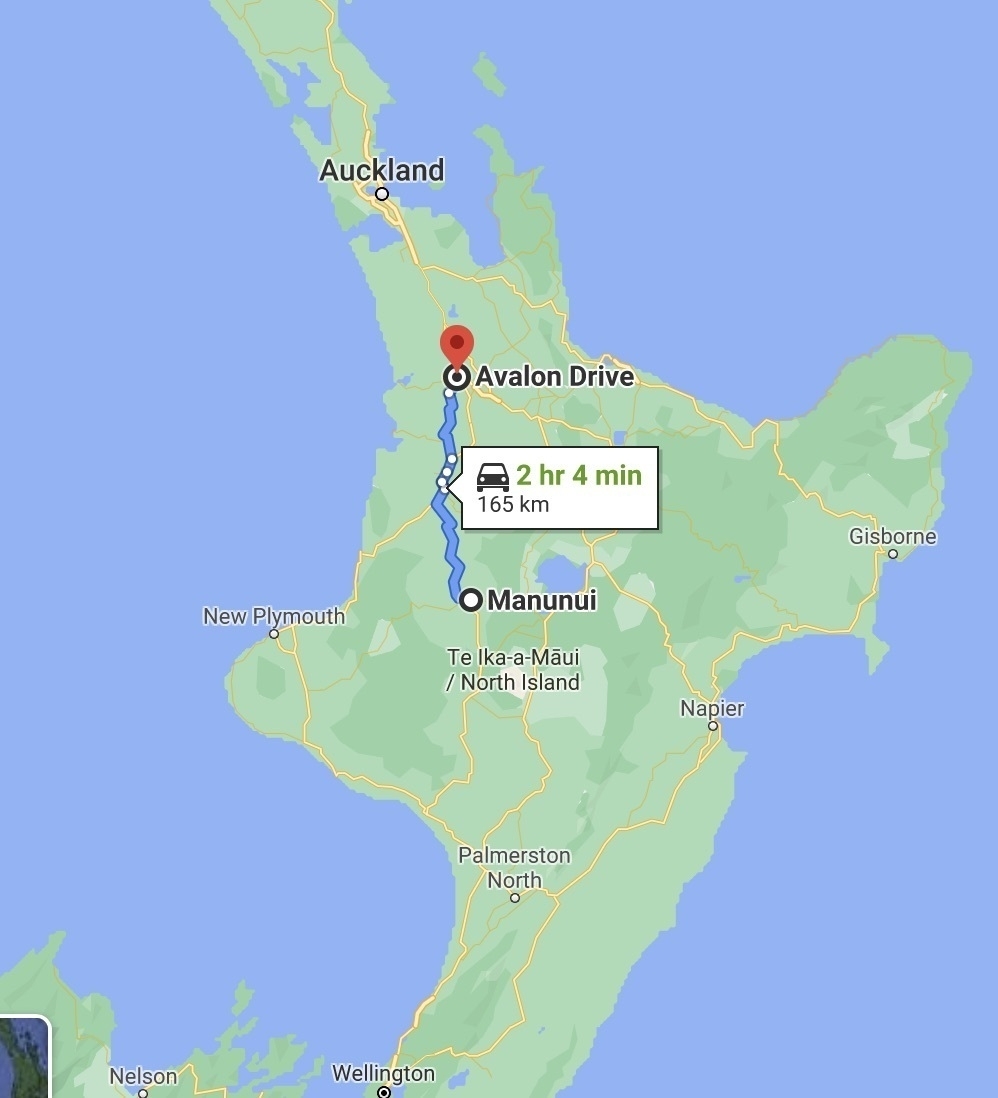
Taumarunui has this striking Moa sculpture at the south end of town. It’s made of small bits of wood — like driftwood, but they aren’t very close to the sea there.
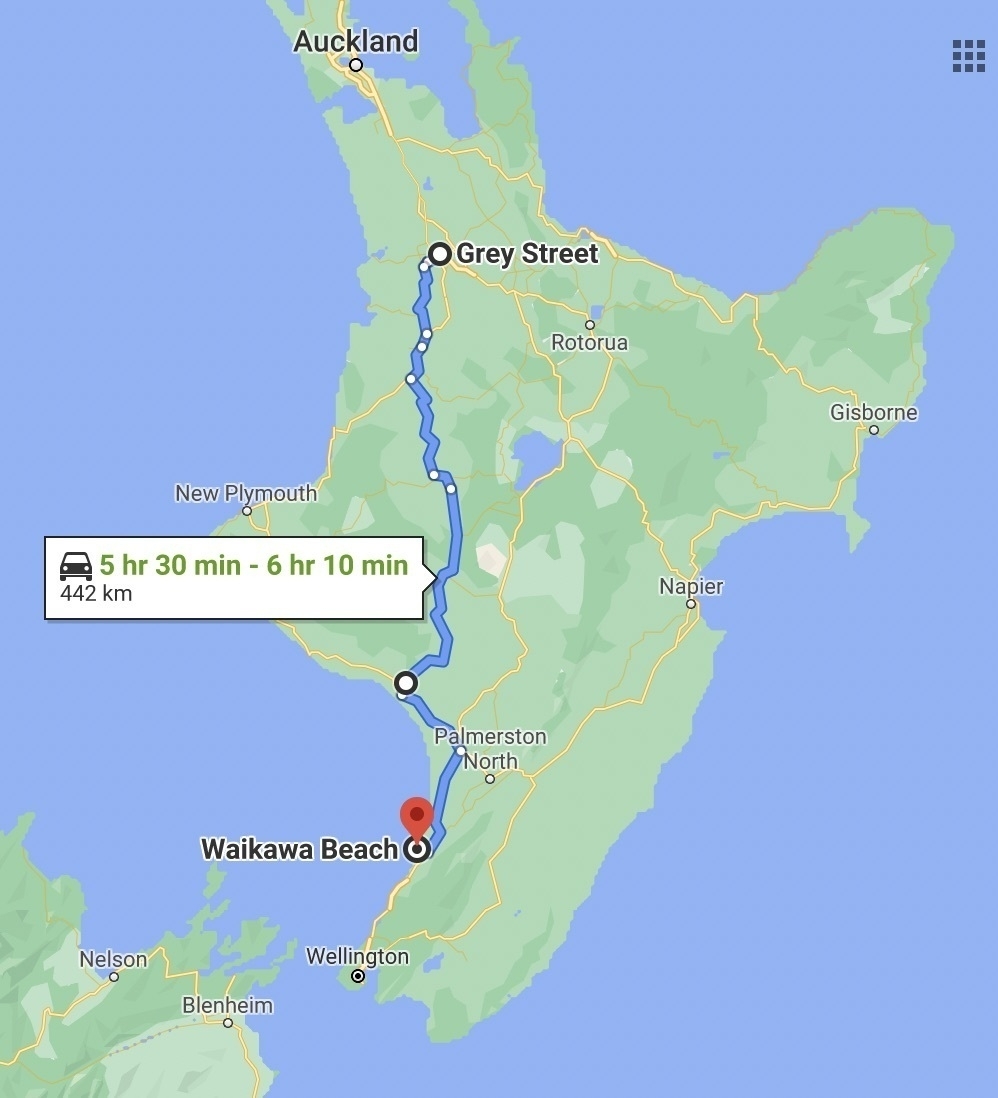
450 Km to drive home today. We plan to go down through National Park again but then through Whanganui rather than Waiouru. Just for a change. Meeting friends for lunch at National Park (they’ve been down to Levin — we had lunch with them at Bulls when we came north).
On a group outing to Sky City Casino in Hamilton. I’m not a gambler and find the appeal mystifying really. The occasional Lotto ticket or a bet on a horse race once every 5 years is more my speed.
Imagine you have a list of reversed names like this:
Janeway, Kathryn
Summers, Buffy
Carter, Samantha
Here we have a last name, followed by a first name, separated by a comma and space. Now suppose you'd like those names to be in first-last order, like this:
Kathryn Janeway
Buffy Summers
Samantha Carter
Pattern search
You can either do a lot of copy and pasting, or you can use a clever find and replace routine, called grep.
Grep is able to look for patterns: check each line for a group of letters followed by a comma and space, and then another group of letters. Replace that whole thing with the second group of letters, a space, then the first group.
Suitable software
For the following instructions I use the free Tex-Edit Plus text editor. Other software can use grep too, but it may not follow precisely the instructions below.
The regular expression (grep)
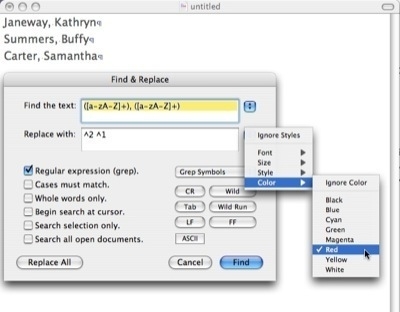
Using grep in Tex-Edit Plus.
Paste the list of reversed names into an empty Tex-Edit Plus document, then use Command F to call up the Find and Replace dialog box.
In the Find text box put exactly this (I explain it below). Note the comma and space in the middle:
([a-zA-Z]+), ([a-zA-Z]+)
In the Replace text box put this (note the space in the middle):
^2 ^1
Check the box labelled Regular expression (grep), then click the Replace All button. The names should now be reversed.
Screenshot 1: Using grep in Tex-Edit Plus, setting the replacement to be in a different colour, so it's easier to see what was changed.
Tip: Tex-Edit Plus is able to use different colours when it replaces text. Set the colour to something like red, so you can quickly glance at your document to see what was changed and spot any potential problems.
An explanation of terms
The round brackets () create groupings — in this case groups of letters. In the replacement, ^2 refers to the second grouping, and ^1 refers to the first grouping.
The square brackets [] contain the possibilities of what we're looking for. We could write out all the letters of the alphabet inside the square brackets, but I've used a shorthand above: a-zA-Z. That means: find any lower case letter or any upper case letter between a and z.
Since that sequence would find only any one letter; the + tells the program to find more than one letter.
So, in English, we could say: work line by line to look for a group consisting of one or more letters, followed by a comma and a space, followed by another group of letters. Replace that pattern with the second group, a space, and the first group.
Strip out numbers
Perhaps you have a list of DVDs you bought, with the price beside each. You'd like to send the list to Aunty Flo, but want to remove the prices. More tedious deleting by hand? Not if you use grep.
Here's the start of the list you have in Tex-Edit Plus:
Buffy The Vampire Slayer S5 $59.99
Chicken Run $25
Star Trek Voyager: S3 $69.69
Noddy goes Wild $4
Hmmm, the pattern seems to be: a bunch of letters, numbers, spaces and things, followed by a space, a dollar sign, some numbers (with or without a dot) and a return. We must be able to do something with that.
We can look for numbers with the pattern: [0-9], and we can indicate how many items by putting a minimum and maximum in braces like this: {1,2}. Tex-Edit Plus indicates a return character like this: ^c.
We have a small problem: the dot is used in grep as a wildcard to mean: "any character". Here we need it for the decimal point. To show that we mean 'dot' and not 'wildcard' we need to add a backslash in front of it. Similarly, the $ needs a backslash in front, as it is a 'reserved' character in grep.
What's more, the Noddy DVD doesn't include a dot in the price, so we need to use a ? to show that the dot is optional: it may not appear at all.
Let's try this pattern:
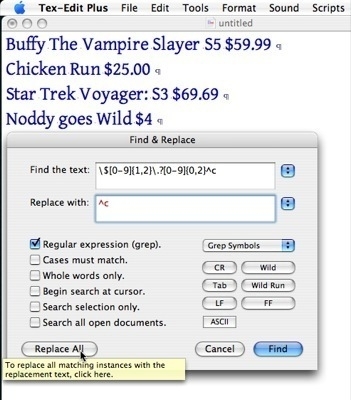
Find: \\$[0-9]{1,2}\\.?[0-9]{0,2}^c
Replace: ^c
Remove prices from an asset list.
The Replacement this time is just a return — we've looked for prices followed by a return, we need to replace with a return, or all the lines will run together.
Screenshot 2: Using grep in Tex-Edit Plus to remove prices from an asset list.
Grep looks complicated, and it is, a bit. But it is the start of something immensely powerful.
Tip: When you download and install Tex-Edit Plus it includes a file called Grep? that contains useful information about what regular expressions are and how to construct them for use within Tex-Edit Plus.
This article was first published in [New Zealand] Macguide magazine Issue #31 January / February 2007 and may have been modified from the original.